Bring your invoices together
Add invoices or import a CSV or Excel spreadsheet. Keep clients, due dates and remaining balances in one place.
INVOICE FOLLOW-UPS FOR SMALL BUSINESSES
Less time chasing.
More clarity on what you're owed.
Keep unpaid invoices, payment promises and client conversations together. A focused workspace for freelancers, studios and small service businesses.
One month free (30 days), then £12/month including applicable tax.
New subscribers only. Payment details required.
ONE CLEAR PICTURE
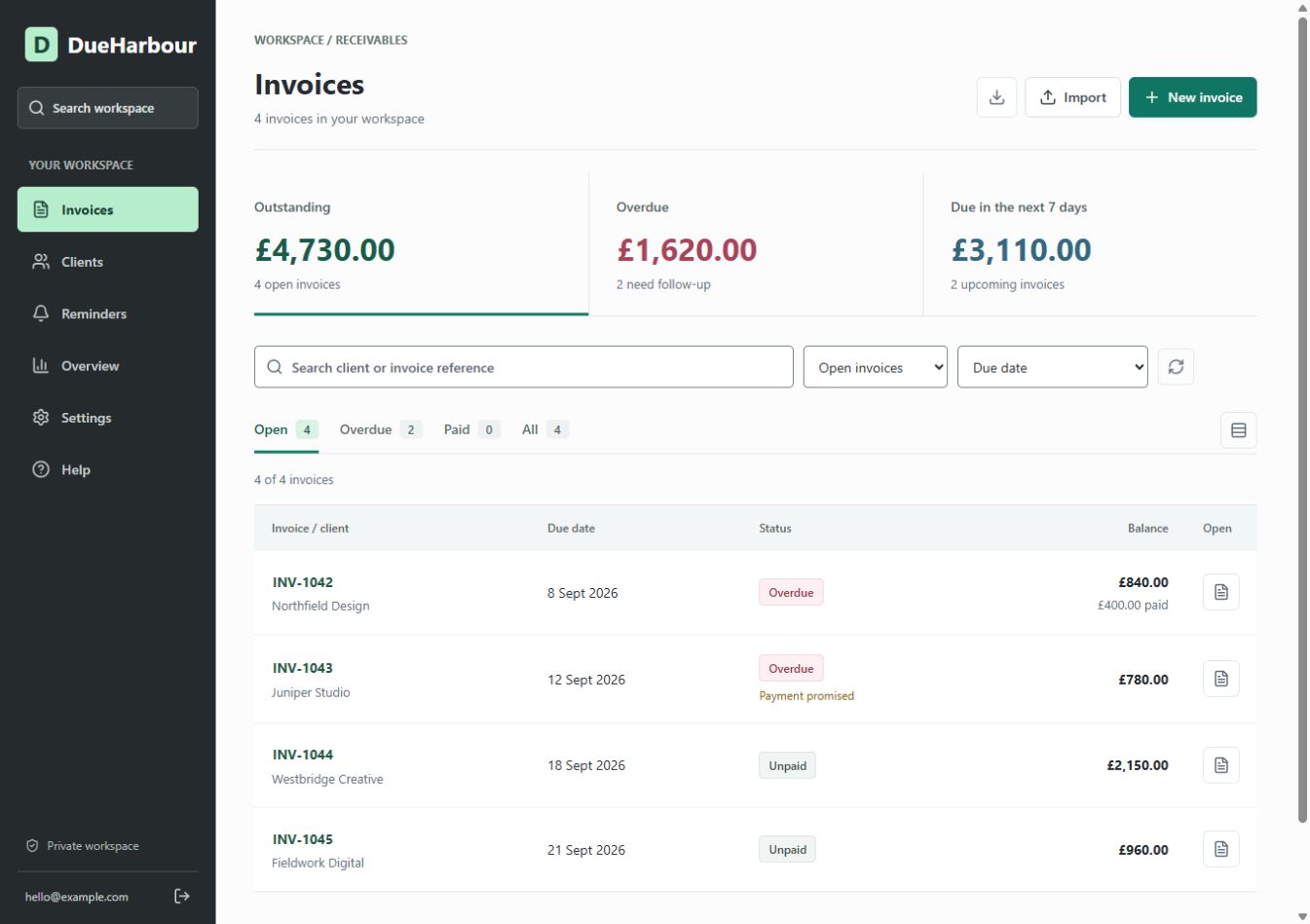
Add invoices or import a CSV or Excel spreadsheet. Keep clients, due dates and remaining balances in one place.
Send reviewed email reminders, record conversations and track payment promises. Put disputed invoices on hold.
Find overdue balances and missed promises, record partial payments and prepare clear client statements.
DUEHARBOUR MONTHLY
Then £12/month · GBP · Including applicable tax
Start your free monthOne trial per customer account, for first-time subscribers. Payment details required. After 30 days, your subscription renews at £12/month unless cancelled. Manage or cancel your subscription in Settings → Manage billing; access continues until your trial or paid period ends.
Your workflow: import or add invoices, record payments and send reviewed reminders directly from DueHarbour or your email app. Scheduled reminders are included after you approve a schedule and enrol individual invoices. Bank/accounting sync is not included; record payments promptly.
A FEW USEFUL ANSWERS
No. DueHarbour focuses on invoice tracking and collection follow-ups. It does not replace bookkeeping, tax returns, bank reconciliation or professional accounting advice.
No. Record payments manually and check the latest balance before contacting a client. Invoices can be added individually or imported from spreadsheets.
Prepare a reminder in DueHarbour, review the recipient and balance, then select Send reminder. Replies go to your sign-in email. Delivery results appear on the invoice. You can also use your own email app and record a manual reminder. Sending is limited to one email per recipient in 24 hours and 100 per workspace in 24 hours. For automatic reminders, save your business profile, approve a schedule in Reminders and enrol individual invoices. Background checks run every 15 minutes. Scheduled replies go to your business email. Paid, void, paused and held invoices are excluded once their status is recorded in DueHarbour.
Open DueHarbour, sign in with your email verification code, then choose Start my free month. Confirm your subscription and payment details on Stripe. New subscribers get 30 days free, then £12/month unless cancelled before the trial ends. Signing in or taking the tour does not start a trial. After Stripe confirms your subscription, save your business profile and add or import your invoices.
Cancel future renewals in Settings → Manage billing. Your access continues until the trial or paid period ends. Afterwards your workspace becomes read-only, with existing records and exports still accessible. Cancellation does not delete your data.
Sign in at app.dueharbour.co.uk with the same account each time. This public website contains product information and sample screenshots, not your customer records.
SUPPORT
Questions about your account, a payment or the £12 monthly plan?
Contact Will directly.
DueHarbour is operated by Will Straker, a sole trader.
Business contact address
Will Straker, trading as DueHarbour
1 Queens Road
Harrogate
HG2 0HE
Learn what account and invoice information is used, which providers process it, and how to exercise your data rights.
New subscribers get one month free (30 days), then GBP 12/month including applicable tax. Payment details are required. The plan includes invoice tracking and reviewed reminders. Approved automatic reminder schedules are included. Accounting sync is not included.
Cancel future renewals in Settings, then Manage billing. Access continues until the paid period ends.
Find keyboard guidance, known limitations and how to report a barrier.